

Tom's bill becomes three entries: Anna, Lea and Jonas, €21.00 each.
One pays. Xreos remembers the rest.
Xreos is an app for money between friends and family. You note down what you cover for others and what you still owe yourself, so you don't have to keep it all in your head.
Let me know when it launches Xreos is still in a closed beta. Join the waitlist and you'll get an email as soon as it opens.
How it works
- You add who it's with, how much and what for.
- Xreos shows you what's still open and what's due soon.
- When something is paid back, you add that too. Once it's all back, the entry is done.
Only you need the app. The others won't notice a thing.

At the table, it's easy to say.
Pizza for four, €84.00. Tom covers it, and the others say what people say:
 Anna says:
I'll pay you back tomorrow, promise.
 Jonas says:
Was it 21 or 24 euros?
 Lea says:
Didn't I give you that last week?
Nobody means any harm. But three weeks later, no one remembers who paid back what, and nobody likes to ask.
Xreos remembers it for you.
Right there at the table, Tom adds the pizza: Anna, Lea and Jonas, €21.00 each. From then on, Xreos keeps track of what comes back and what's still open. The three of them don't need an app for this, and they don't get any messages.
One bill becomes three entries.
An entry is an amount between you and one person, for example “Anna, €21.00, Pizza night.” If you paid for several people, tap who was there and enter the full amount. Xreos splits it and creates a separate entry for each person.
Your own part doesn't become an entry, because you don't owe it to anyone. If you ate too, switch on “My share is included,” and Xreos divides by four.
Try it: tap names on or off, change the amount and switch your share. You'll see right away what each person owes. Next to it, the same thing runs in the real app.
Example
Anna, Lea and Jonas, €84.00, your share included:
Your share: €21.00
- Anna €21.00
- Lea €21.00
- Jonas €21.00
Total €63.00 of €63.00
3 entries, €21.00 each


For now, Xreos speaks German.
Every thread is an open entry.
Picture every open entry as a thread running into your phone. Three come from pizza night: Anna, Lea and Jonas still owe Tom €21.00 each. The fourth comes from Mira, who covered Tom's train ticket. So here, Tom is the one who owes.


Example
- Anna · Pizza night Open for 3 days €21.00 You're owed
- Lea · Pizza night Open for 3 days €21.00 You're owed
- Jonas · Pizza night Open for 3 days €21.00 You're owed
- Mira · Train ticket Due October 18 €18.00 You owe
Due just means: the day has come.


Anna says: When do you need it back? Tom says: End of next week is fine.
When you add an entry, you can set a day by which you'd like the money back. You don't have to, though.
As the day gets closer, the overview shows the entry under “Coming up.” When the day comes, it moves to the very top under “Right now.” It's just a heads-up for you: nothing turns red, and nobody gets a message.
Move the slider to let the days after pizza night go by. You'll see which label Anna's entry gets and where it sits in the overview.
Example
Today is October 13.
Right now
Anna · Pizza night Open for 3 days €21.00 You're owedShows at the top of the overview, under “Right now.”
Xreos doesn't send Anna anything. Whether and how you ask is up to you.
What if you'd like to remind someone?
Here's how it works in the app: on an amount you're owed, you tap “Remind”. Xreos drafts a short message for you, casual, friendly or direct, with the amount and the date. You can still change it. Then you copy it or share it with another app, if your device offers that. You send it yourself, wherever you usually chat. You'll find “Remind” on the entry and on the person's page. There, Xreos puts several open amounts into one message.
Pick a tone. The message also follows the slider above: before the agreed day it reads differently than after.
Example
Tone: Friendly
Message
Hey Anna, quick reminder about the €21.00 for Pizza night. We had October 10 in mind. Would the next few days work for you?
Xreos never sends anything by itself. You decide whether and where you send it.
Whatever comes back, you add.
You pay each other as usual, in cash or through the bank. Afterwards, you add in Xreos what came back: all at once, part of it, or one amount that covers several entries.
If you don't want the rest back at all, you forgive it. Everything stays in the entry's history, so later on you can still see what came when.
Pick one of the four cases. You'll see the video from the app and, next to it, the entry's history. For Lea, you decide how much she pays back.
All of it
Anna pays you back the full €21.00. One tap on “Remaining amount,” and her entry is done.
Afterwards, the history has three lines: added, the repayment and “Done.” The entry is kept; you'll find it under Entries with the finished ones.

For now, Xreos speaks German.
Example
History
Anna · Pizza night
- Oct 13 Done
- Oct 13 Repayment · €21.00
- Sep 29 Added · €21.00
Half
Lea pays you back part of it first. Xreos remembers the rest until it comes.
Move the slider below the phone. The history shows you the repayment and what's still open after it.

For now, Xreos speaks German.
Still open: €21.00 Lea pays you back €10.50. €10.50 left
Example
History
Lea · Pizza night
- Oct 13 Repayment · €10.50 €10.50 still open
- Sep 29 Added · €21.00
Forgive the rest
Jonas pays you back €17.00, and you forgive him the remaining €4.00.
The repayment and what you forgave are separate lines in the history. So later on, you still know what Jonas actually paid back.

For now, Xreos speaks German.
Example
History
Jonas · Pizza night
- Oct 13 Done
- Oct 13 Forgiven · €4.00
- Oct 13 Repayment · €17.00 €4.00 still open
- Sep 29 Added · €21.00
Two entries
Anna gives you €36.00 in one go, for two entries. Xreos spreads the amount itself, oldest entry first.
Both entries show up in the history: the concert tickets are done after this, and €6.00 is still open on the taxi.

For now, Xreos speaks German.
Example
History
Anna · Concert tickets
- Oct 13 Done
- Oct 13 Repayment · €30.00 · from €36.00, spread over 2 entries
- Sep 13 Added · €30.00
Anna · Taxi
- Oct 13 Repayment · €6.00 · from €36.00, spread over 2 entries €6.00 still open
- Sep 23 Added · €12.00
What else it does.
Three things you'll come across when you use Xreos day to day. Tap one to see the picture from the app next to it.
Open over time
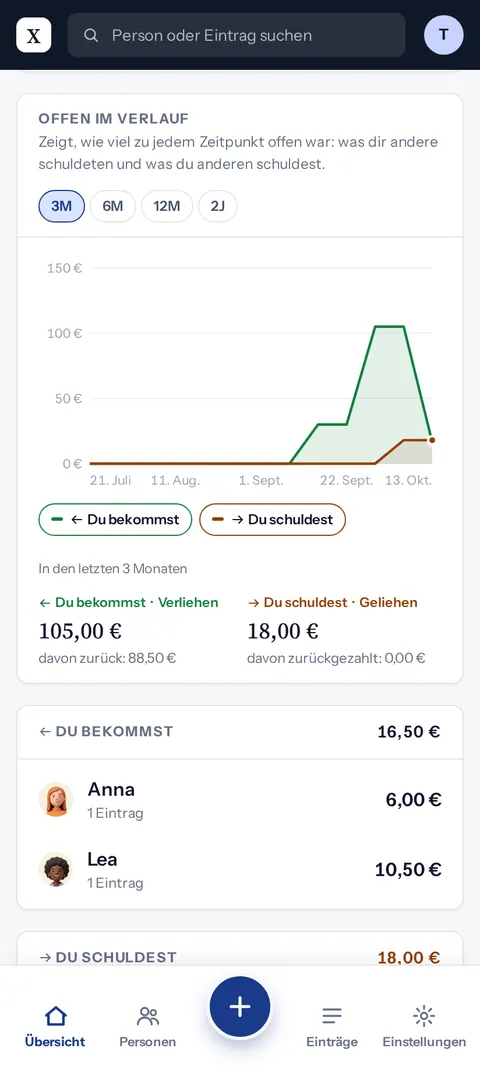
A chart in the overview shows how much was open over the last few months. What you're owed and what you owe are two separate lines.
This is how it looks in the app The overview with the “Open over time” chart. 
Light or dark
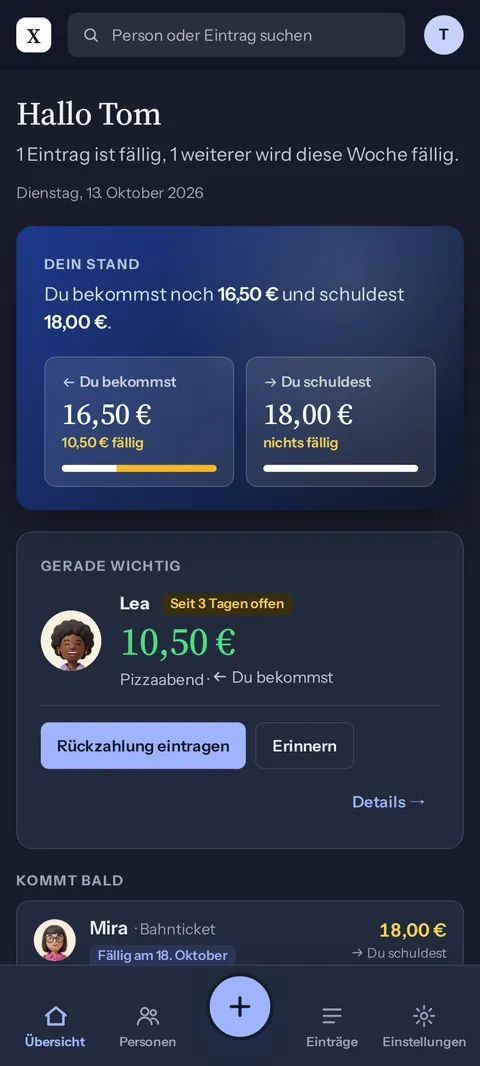
Whether Xreos looks light or dark follows your phone's setting. You can also choose it yourself.
This is how it looks in the app The app's overview, light or dark. 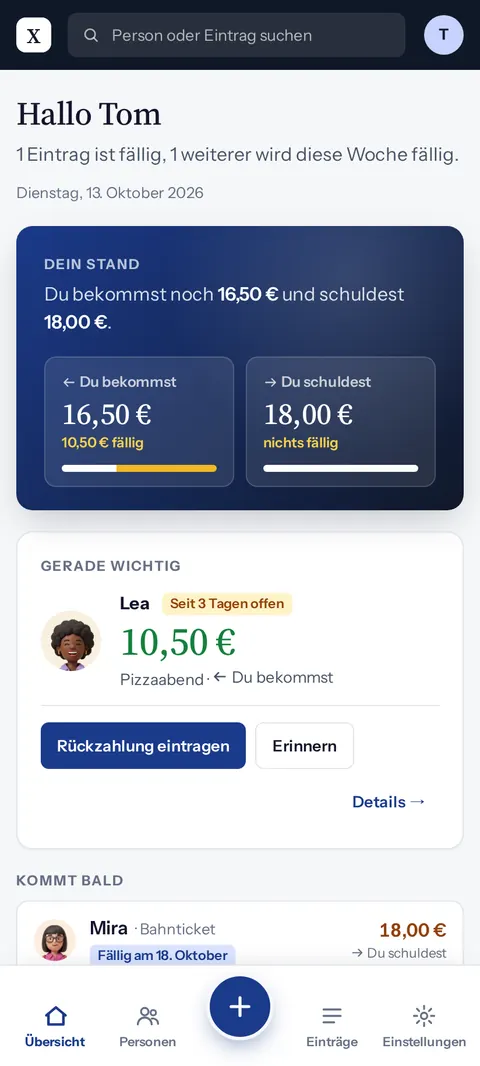
No password
You don't need a password. To sign in, Xreos emails you a code, and you type it in.
This is how it looks in the app Signing in: Tom types the code from his email. 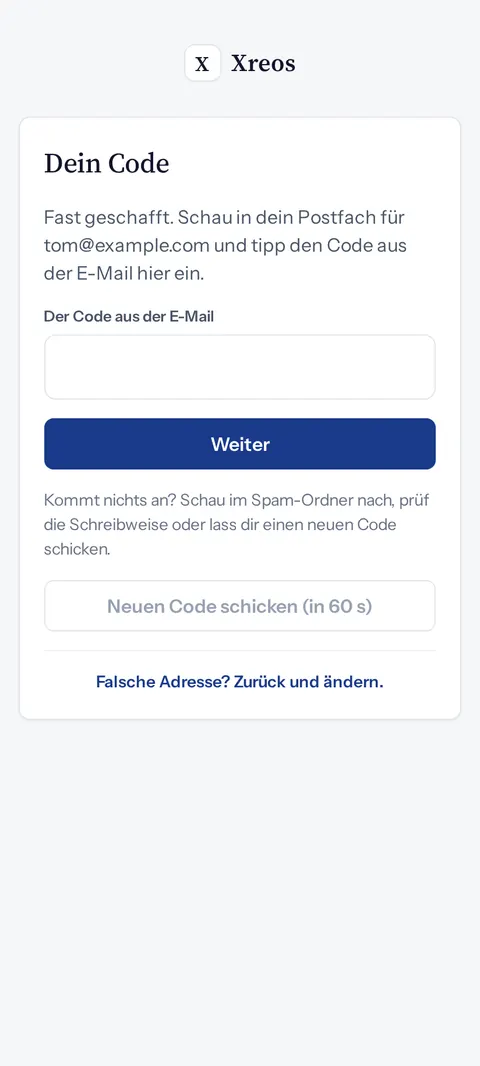


There's nothing to download from an app store: Xreos runs in the browser, on your phone and on your computer. Put it on your home screen and it opens like any other app. If you're offline, you'll still see where things stood last.
For now, Xreos speaks German.
Xreos only keeps track. The rest you do as always.
Xreos is like a notebook where you write down who owes whom how much, except that it does the math for you. That's all it does: it doesn't move money, doesn't message anyone and doesn't need anything from the others.
- You pay each other yourselves
- No money flows through Xreos, and it isn't connected to your bank. You pay each other as always, in cash or through the bank, and afterwards you add what came back.
- You send the messages
- Nobody gets a message from Xreos. If you want to remind someone, you decide when and how. If you like, Xreos drafts a message for you, which you then send yourself.
- Only you need Xreos
- Your friends and family need neither the app nor an account. They don't see what you add, and they get nothing from Xreos. For them, nothing changes at all.
What data is involved and what happens to it is in the privacy policy.


Go ahead and cover it. Xreos remembers.
Keep me posted
Xreos isn't open to everyone yet: right now, a few people are trying it out by invitation. Join the waitlist and you'll get an email as soon as you can join. After that, just one now and then when there's something new. You can unsubscribe at any time with the link in every email.